
Product Knowledge
How to Identify a High-Quality High-Speed Cable: What Suppliers Don’t Want You to Know
The most reliable evaluation method is:
Check the specifications → Examine the structure → Inspect the workmanship → Test the actual speed and signal performance → Evaluate long-term stability
1. Check Whether the Actual Specifications Are Clearly Stated
High-quality high-speed cables usually provide clear specifications for:
- Supported protocols and standards, such as USB 3.2 Gen 2 or USB4 40Gbps
- Maximum data transfer rate
- Maximum supported video resolution and refresh rate, such as 4K at 120Hz or 8K at 60Hz
- Power Delivery support and maximum power rating, such as 100W or 240W
- Cable length
- Active or passive transmission
- Connector type
⚠️ Be cautious if a product is described only with marketing terms such as “high-speed cable,” “8K ultra-HD,” “flagship edition,” or “audiophile grade” without specific standards and performance parameters.
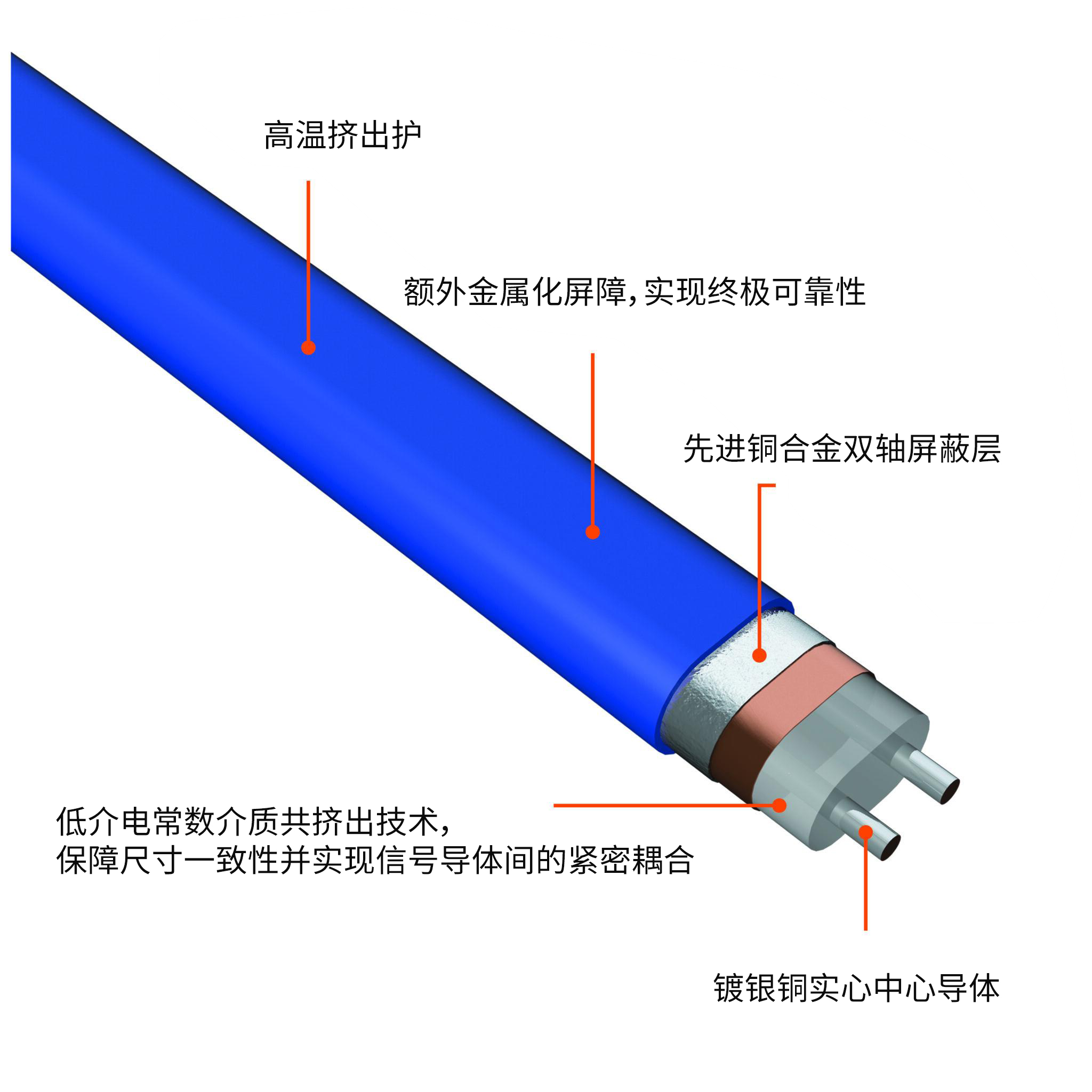
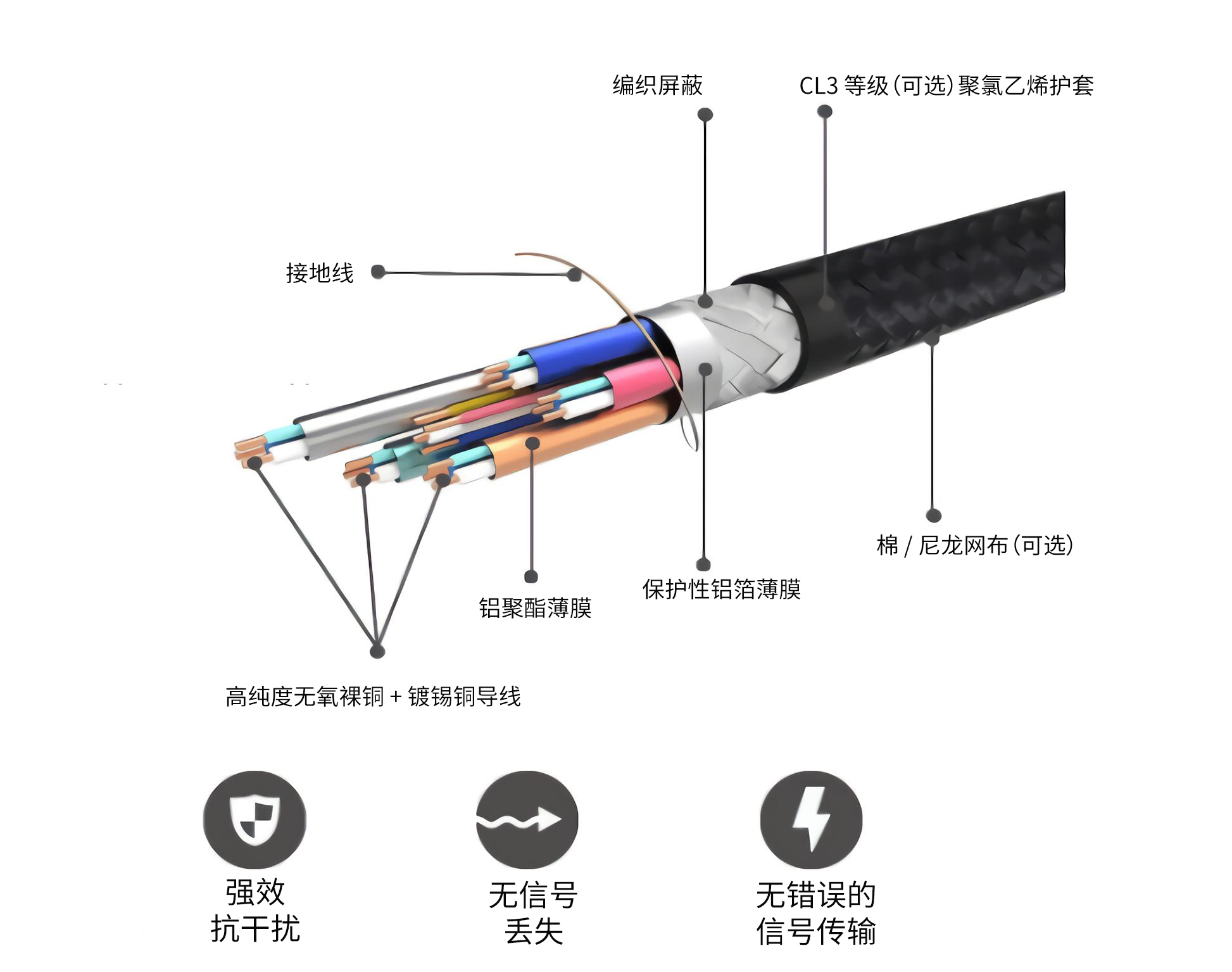
2. Cable Structure Matters
The higher the signal frequency, the more demanding the cable structure becomes.
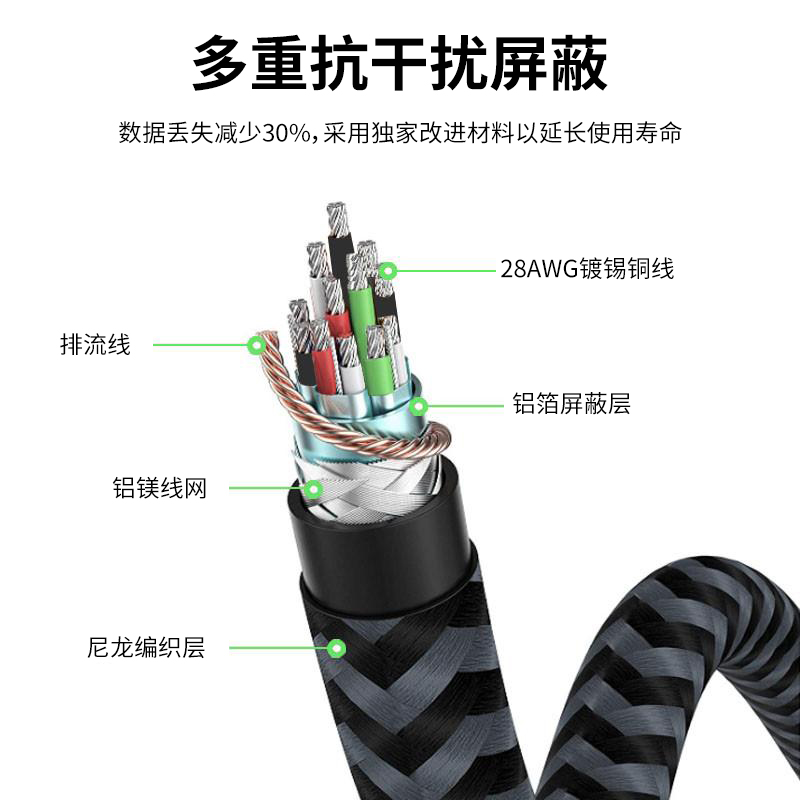
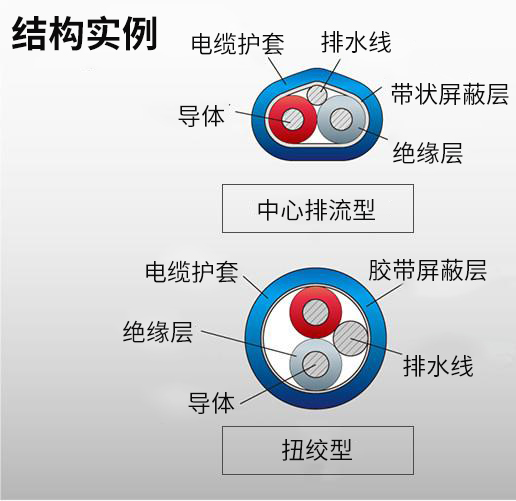
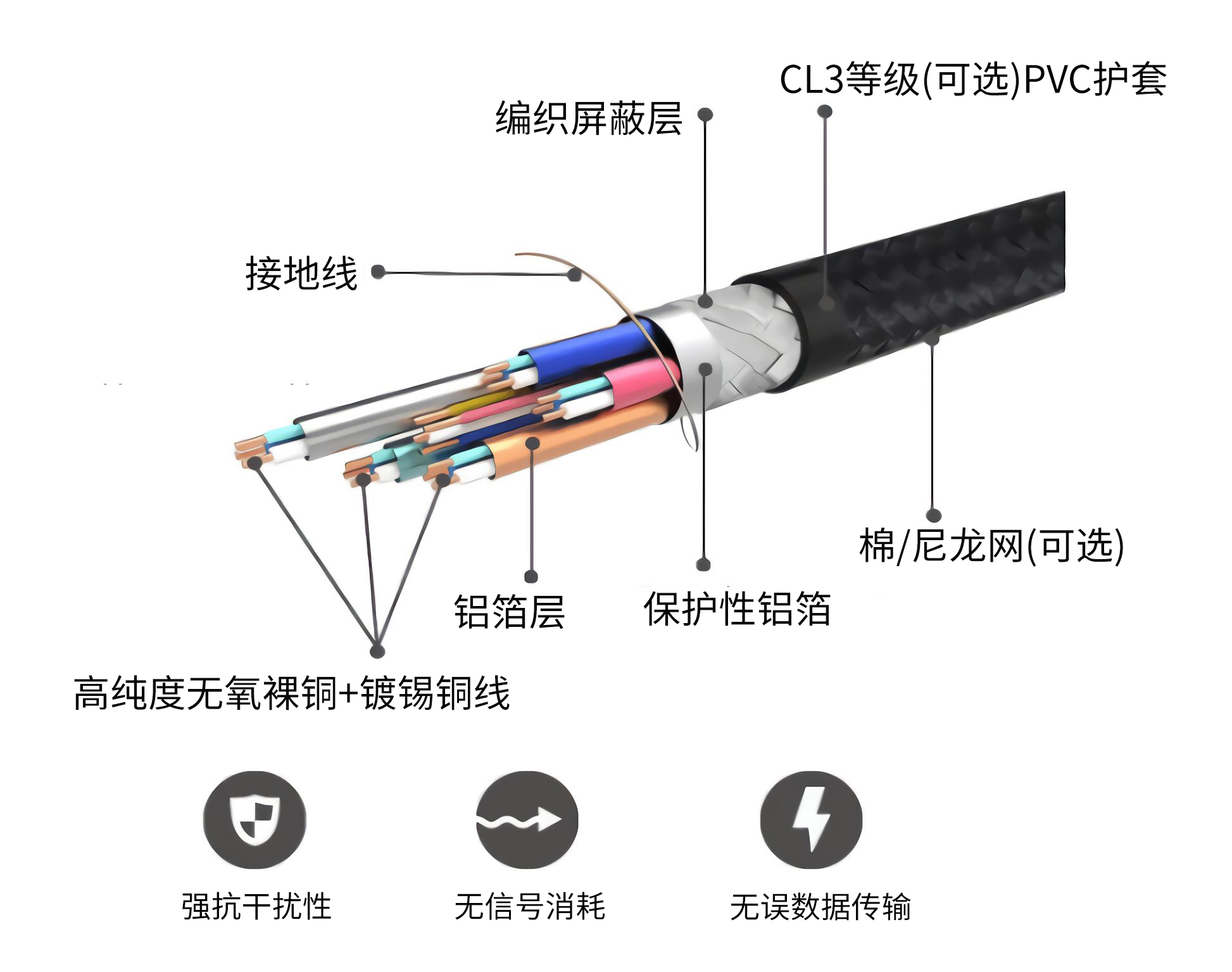
A well-designed high-speed cable generally follows this structure:
Conductor → Insulation → Individually Shielded High-Speed Pairs → Shielding Layer → Overall Shield → Outer Jacket
Pay particular attention to:
- Whether the high-speed differential pairs are individually shielded
- Whether a twisted-pair structure is used
- Whether the shielding layer is complete
- Whether shielding continuity is maintained at the connector
- Whether the conductor size is appropriate for the cable length and data rate
For example, even when the connector is USB-C:
A standard USB-C charging cable is not the same as a USB 3.2 high-speed data cable or a USB4 40Gbps cable.
They may look almost identical from the outside.
3. Do Not Assume That a Thicker Cable Is Always Better
This is a common misconception.
A thicker cable may simply have:
- Larger power conductors
- A thicker outer jacket
- Additional shielding layers
If the high-speed data channel is poorly designed, the cable may still fail to achieve its rated transmission speed.
What truly matters is the impedance, structural consistency, shielding, and connector design of the high-speed differential pairs.
4. Most Importantly, Test the Actual Performance
If you have already purchased the cable, real-world testing is far more reliable than relying on the packaging.
For example, a USB high-speed cable can be tested using the following setup:
Computer → High-Speed SSD → High-Speed Cable → Computer
You can then measure sustained read and write speeds.
For example:
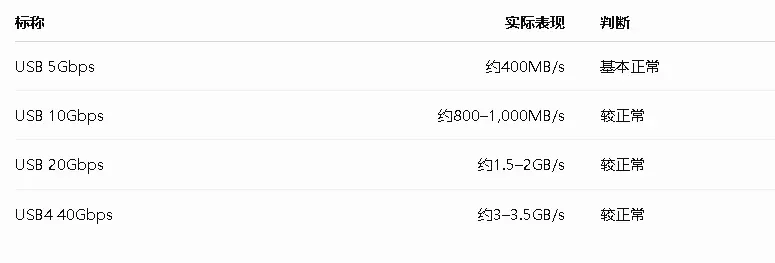
Note: Gbps and MB/s are not the same unit.
In theory:
10 Gbps ÷ 8 ≈ 1.25 GB/s
However, protocol overhead, SSD performance, controller limitations, and other factors will cause actual transfer speeds to be lower than the theoretical maximum.
5. Evaluate Sustained Full-Speed Stability
This is more important than achieving a high speed in a single test.
Some low-quality cables may behave as follows:
High initial speed → Speed drops after several minutes → Device disconnects → Connection must be re-established
Applications such as the following have particularly stringent signal integrity requirements:
- USB4
- Thunderbolt
- 8K HDMI
- High-refresh-rate DisplayPort
- PCIe extension cables
Run the connection continuously for 30 minutes to one hour and check whether:
- The storage drive disappears
- The device disconnects
- The display goes black
- Visual artifacts appear
- Transfer speed decreases
- The device is repeatedly disconnected and detected again
6. For HDMI and DisplayPort, Focus on Actual Bandwidth
For an HDMI 2.1 cable, do not rely only on an “8K” label.
Test a demanding real-world configuration directly:
4K + 120Hz + HDR + 10-bit color
If the cable can maintain this configuration over an extended period, its performance is reasonably reliable.
The following symptoms often indicate signal-quality or device-compatibility problems:
- Black screen
- Screen flickering
- Sparkling or snow-like artifacts
- HDR switching off automatically
- Refresh rate limited to 60Hz
- Color depth dropping from 10-bit to 8-bit
7. Connector Workmanship Is Also Critical
A well-made high-speed cable should generally have:
- A secure connection between the plug and cable body
- A complete metallic shielding shell
- Consistent insertion and removal force
- Neatly aligned contact pins
- Smooth and even overmold seams
- Proper strain relief without sharp bending at the connector
The connector area is often one of the most vulnerable points in a high-speed signal transmission channel.
8. For Procurement and Incoming Inspection
When purchasing high-speed cables for business applications, visual inspection alone is not sufficient. Suppliers should be required to provide:
- Product specification sheet
- Raw material and conductor specifications
- Impedance parameters
- Insertion loss
- Return loss
- Crosstalk performance
- Shielding effectiveness
- Bit error rate testing
- Protocol certifications
- Batch sampling inspection reports
For genuine high-speed cables, measurements taken with a vector network analyzer (VNA), time-domain reflectometer (TDR), oscilloscope, and protocol test equipment are far more reliable than visual assessment alone.